Meta has opened a new site for open-source hardware around Muse: Muse Gadgets. The idea is devices you build yourself. You program an off-the-shelf ESP32 board or a Raspberry Pi / Linux box with Meta’s SDKs, then connect Muse to displays, buttons, sensors, actuators, and whatever else is on your workbench.
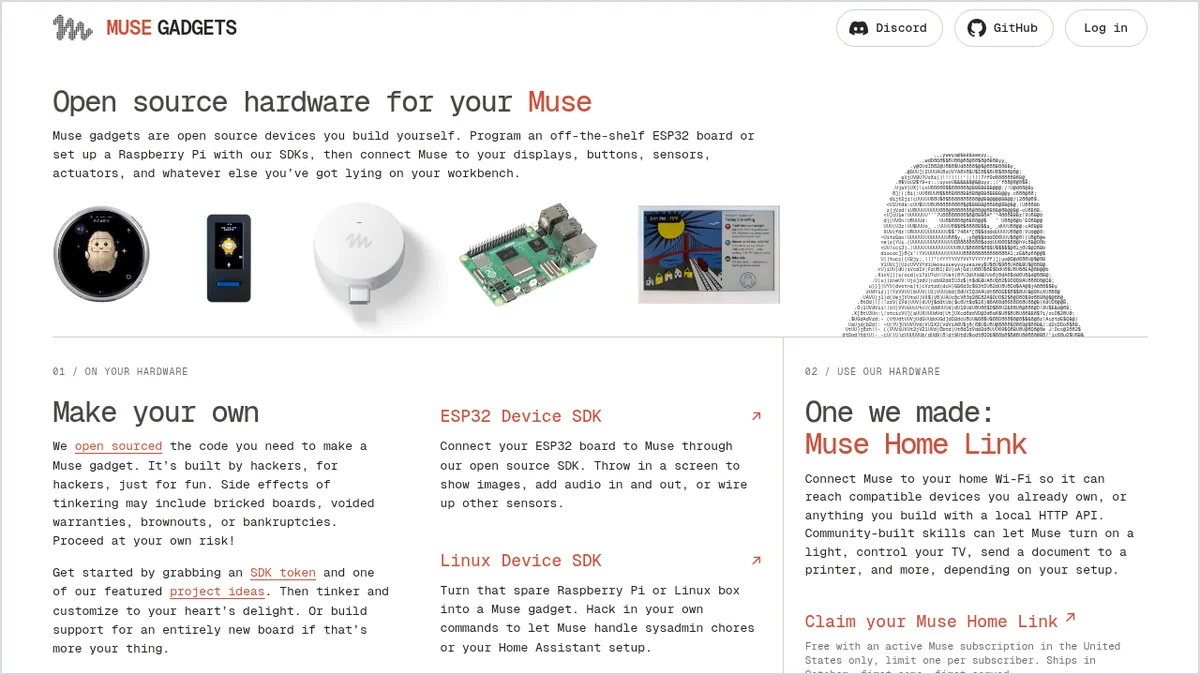
Alongside the open SDKs, Meta also shows one device it makes itself: Muse Home Link, a small gadget that puts Muse on your home network. According to the official product pages, the device SDKs and firmware are open source under Apache 2.0, provided as-is and without warranty.
Two SDK paths
On gadgets.muse.ai, Meta highlights two main routes:
- ESP32 Device SDK – connect an ESP32 to Muse, with options for a screen, audio in and out, and other sensors.
- Linux Device SDK – a Raspberry Pi or Linux box, including custom commands and setups such as Home Assistant.
The site’s tone is side-project and hacker-friendly. Meta warns that tinkering may brick boards, void warranties, and more. There is also a community Discord for people who build and share gadgets.
Muse Home Link: one device from Meta
Home Link connects Muse to home Wi-Fi so it can reach compatible devices you already own, or anything with a local HTTP API. Community-built skills can, depending on your setup, let Muse turn on a light, control a TV, or send a document to a printer.
The hardware is a USB-C gadget on an ESP32-C5. Its firmware is based on the open ESP32 Device SDK, but Home Link itself only runs official Meta firmware and cannot be reflashed.
Availability and specs
Per the product page, Home Link is free with an active Muse subscription in the United States only, limit one per subscriber. It ships in October, first come, first served.
- Chipset: Espressif ESP32-C5, 32-bit RISC-V at 240 MHz
- Memory: 8 MB PSRAM; storage: 8 MB flash
- Wireless: Wi-Fi 6 (2.4 and 5 GHz)
- Connectors: USB-C and USB-A; LED; dimensions 35×42×10 mm
Setup and community skills
The setup described on the site: plug it in near your router, pair it in the Muse app over Bluetooth LE, choose the Wi-Fi network, then ask Muse. After that you can add community skills.
Meta mentions popular community integrations such as Philips Hue, Sonos, Apple TV, Google Nest speakers, and Samsung TVs. It stresses that those skills can change or break, that they are not for safety-critical use, and that Meta does not endorse those brands.
How to read this
This is not a worldwide consumer launch. It is an open SDK for building gadgets around Muse, plus one limited device (United States, active subscription, one per subscriber) that puts the assistant on the home network. Anyone who followed Muse Spark’s math research will see a different track here: hardware, smart home, and a developer community. For the Spark research story, see our piece on Muse Spark and open math problems, and more updates in AI News.
Sources
- Meta, official Muse Gadgets product page: gadgets.muse.ai
- Meta, official Muse Home Link product page: gadgets.muse.ai/home-link