Muse for Small Business adds business skills and connectors to Muse, Meta’s personal AI agent, announced September 29, 2026. It’s aimed at owners in the US and Canada aged 18 and over. Meta lists a usage-limited Free plan, Power at USD 20 a month and Max at USD 100 a month. We reviewed documentation only, without testing a business account.
Muse for Small Business is Meta’s attempt to reduce the time small-business owners spend moving between email, sales figures, marketing content and advertising tools. The potential benefit is straightforward: give an agent a goal, connect relevant systems and receive analysis, drafts and suggested next steps. Whether it belongs in your business depends on availability, permissions and what happens to the information it reads.
Bottom line: Muse is worth investigating for US and Canadian business owners who already use compatible tools and can supervise its work. Official availability is for people aged 18 and over, with features and subscription benefits subject to account and regional availability. This review reflects documentation checked on October 3, 2026; we have not tested a business account or measured output quality.
What is Muse for Small Business?
Muse for Small Business is a set of business-focused skills and connectors for Meta’s Muse agent, built for sales and campaign analysis, growth planning, content drafts and expense reviews.
Announced on September 29, 2026, it adds business-focused skills and connectors to Muse, Meta’s personal AI agent. Meta describes sales and campaign analysis, growth planning, content drafts and expense reviews among its use cases. Its announcement also describes background work and proactive suggestions.
Keep the product name separate from Muse Spark, Meta’s model family. A model’s performance in mathematics or coding does not establish how reliably the Muse agent will handle your business workflows.
From information
to a ready task
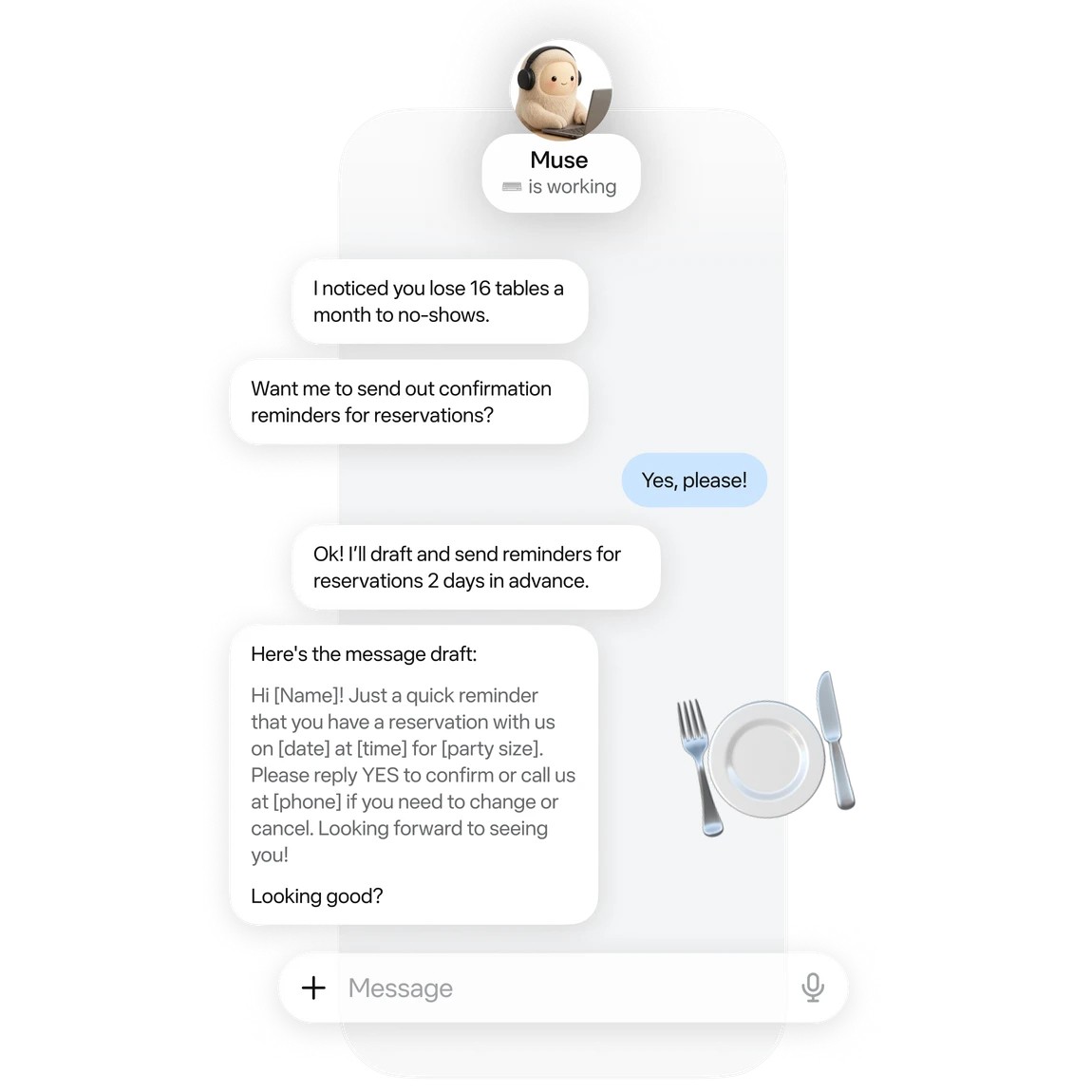
Meta’s product example: identifying missed reservations and preparing customer reminders.
Can your business use it?
The business product page specifies the US and Canada, for people aged 18 and over. Owners elsewhere have no announced expansion timetable to plan around. Even in supported countries, check your account’s available features and connectors before designing a workflow around them.
For a neighborhood retailer, creative studio or online store, the first question is practical: does Muse support the systems that hold the information you need? Start with one recurring bottleneck rather than granting access to every business account.
How much does Muse cost?
Meta’s subscription documentation lists three plans:
| Plan | Price (USD/month) | Weekly Muse tokens | At the limit / notes |
|---|---|---|---|
| Free | 0 | Usage-limited (size not published) | Wait for a refresh or upgrade |
| Power | 20 | 500 million | Renews monthly |
| Max | 100 | 3 billion | Renews monthly |
Subscriptions renew monthly. These are Muse’s published plans; we did not verify a separate small-business pricing tier. Meta quotes these amounts in USD. Canadian billing currency, taxes and final local charges were not verified, so check the displayed total before subscribing. Token allowances do not guarantee a fixed number of campaigns or working hours. Connected services may have separate costs.
What can it do with business tools?
Meta identifies connections to Instagram professional-account analytics, Facebook Pages and Meta ad accounts. Its named business integrations include Shopify, QuickBooks, Canva, Stripe, Slack and Notion. A listed integration does not, by itself, explain every available read, write or administrative operation.
The promising use case is bringing scattered information together: comparing sales with recent content, for example, before drafting next week’s plan. Claims about saving time, improving advertising or managing cash flow still need testing in a real business. The inspected material does not establish an independently measured outcome we can promise readers.
Account setup and permissions
The getting-started guide requires a Meta account. Services are connected through Settings → Connectors, followed by the provider’s authorization steps. The connector documentation says Facebook, Instagram and Threads connect automatically when their accounts share the same Accounts Center. Review which accounts are included before assigning business work.
For an initial trial, connect only the source your first task needs. Choose read-only access where available and retain human review for sending, publishing and purchasing. Be particularly cautious with custom connectors: Meta says it does not review them or how they use information.
The approval controls include one-time, task-scoped and ongoing permissions. Do not read the marketing promise of user approval as a guarantee of a fresh prompt for every action already covered by a broader grant. You can inspect the activity log and revise permissions. Some actions, including sending an email, cannot be undone afterward.
You keep
the final say
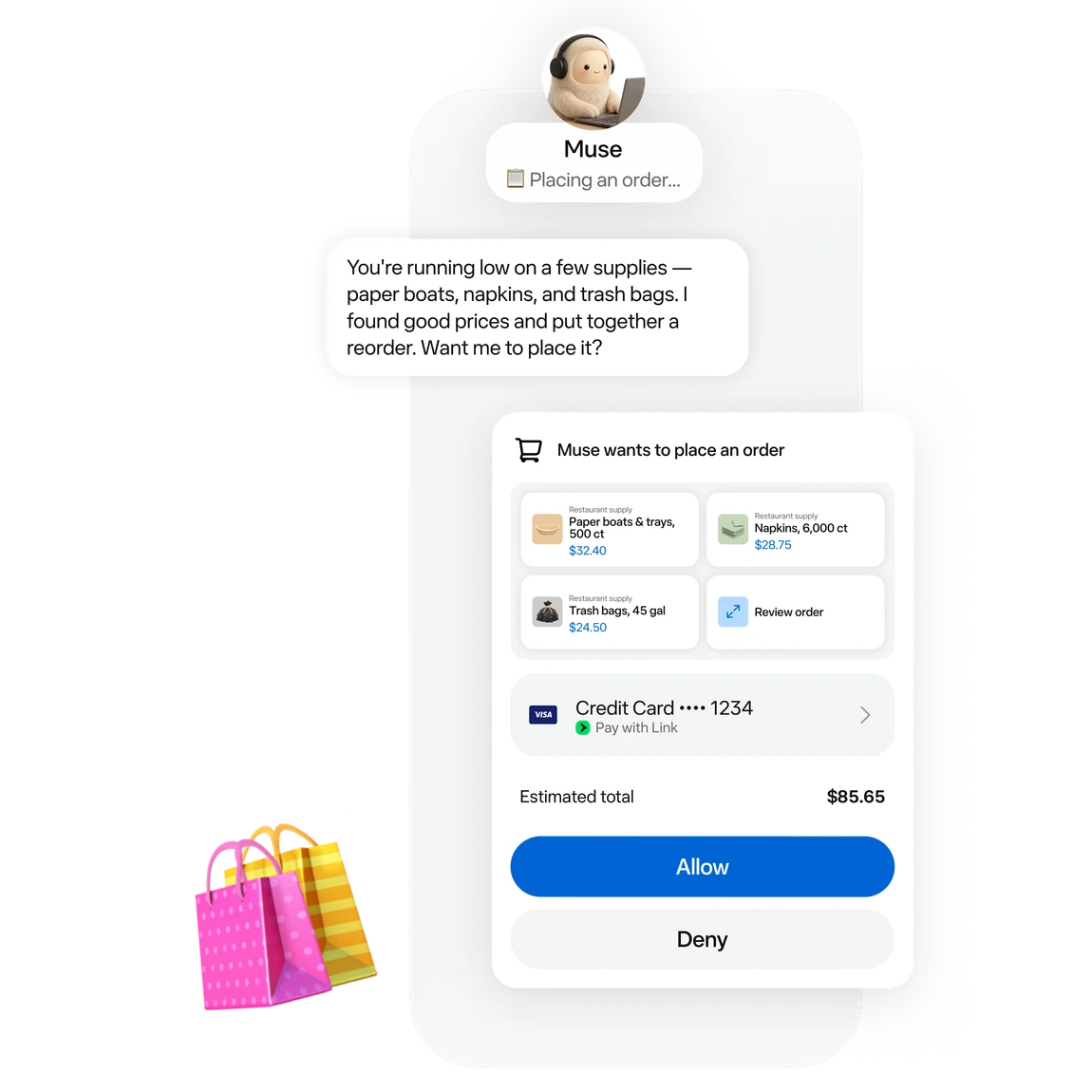
The product example shows an order approval, its total, and an option to decline.
Three privacy details to understand first
- Training is initially enabled. Meta’s data-control guide says you can disable Help improve our AI models in Settings → Data controls. Meta says the choice also applies to previous interactions. When interactions are used for training, it removes certain categories of identifying information.
- Cloud isolation does not mean Meta cannot access the data. The current architecture allows access where needed to operate, support or secure the service. Confidential VM, intended to add protection against Meta’s own access, remains a future capability in the inspected documentation.
- Disconnecting does not necessarily erase information already retrieved. It can remain in conversation history and memory. Connected providers also have their own privacy policies.
Meta says conversations and VM data are not shared with its advertising systems. However, websites the agent visits on your behalf can indirectly affect advertising. Meta also acknowledges mistakes and the continuing risk of malicious instructions in external content. The technical security explanation provides essential context for the broad privacy claims.
Three first tasks with results you can check
If you have access in a supported region, start with a narrow task and an identifiable source. These are proposed trials, not tests we performed:
- A sales summary: “Summarize this week’s file without customer details. Show the source for each total and separate observations from hypotheses.” Reconcile the totals with the original.
- A weekend promotion: “Draft three posts for our shop using the supplied product details and approved offer. Add no promises and publish nothing.” Check prices, dates and brand fit.
- An expense check: “Flag repeated expenses or changes from last month. Show the supporting rows.” Review every flag; a repeated payment is not automatically an error.
Include review and correction time when assessing the result. An attractive output that needs rebuilding has not demonstrated a saving. Expand access only after the narrow task produces something useful.
Who should consider it now?
The clearest candidate is a US or Canadian owner who uses several compatible systems and can review drafts and analysis before action. Businesses needing defined team-access controls or strict confidentiality guarantees need more answers before operational adoption. A solo owner’s account does not establish an organization-wide governance model. Start with access, necessary data and one result you can verify.
Related reading: Drafting a price quote with AI while keeping control of commitments.
Frequently asked questions
Where is Muse for Small Business available?
In the US and Canada, for people aged 18 and over, according to Meta’s business product page. Meta hasn’t announced an expansion timetable for other countries, so confirm current eligibility in Meta’s official Muse materials before you plan a rollout elsewhere.
Is there a free plan?
Yes. Meta lists a usage-limited Free plan but doesn’t publish its size. At the limit, you can wait for a refresh or upgrade to a paid plan.
How much does Muse cost?
Meta lists three plans: Free, which is usage-limited; Power at USD 20 a month with 500 million Muse tokens a week; and Max at USD 100 a month with 3 billion Muse tokens a week. We did not verify a separate small-business tier or Canadian pricing.
How is Muse different from a work agent like Grok Bot?
Muse is framed as a personal/small-business assistant with business connectors and approval controls. Grok Bot is a separate product: named bots on a shared cloud computer for assigned work. Pick by the job, not by a single “best AI” label.
What should I verify before connecting business accounts?
Review approval controls, which actions need confirmation, and privacy details for connected services. Only connect accounts you are allowed to link, and test on a low-risk task first.
Are prices in this review guaranteed?
No. Plans and limits change. Use Meta’s official pricing and availability pages as the source of truth when you subscribe.
Sources
- Meta Newsroom: Muse for Small Business announcement, September 29, 2026
- Muse: business product page
- Meta Help Center: Muse subscription plans
- Meta Help Center: getting started with Muse
- Meta Help Center: Muse connectors
- Meta Help Center: approval controls in Muse
- Meta Help Center: Muse data controls
- Meta research blog: security and safety for AI agents, Meta’s approach with Muse
Documentation checked October 3, 2026.