ChatGPT Images 2.5 is available on every ChatGPT plan: Free covers everyday create and edit, and Plus, Pro and Business also get Images with thinking for harder requests. This first look summarizes OpenAI’s official Help Center as of October 15, 2026. We did not buy a paid plan or run generations in the ChatGPT UI for this piece.
First look on official information: we did not generate or edit images in a ChatGPT account for this review, and we did not measure quality, daily limits or text-in-image accuracy. There is no score and no Review schema. Our How We Test AI Tools page explains how we label reviews like this.
For plan prices and who should upgrade, see our ChatGPT plans review. All related guides live on the ChatGPT hub.
At a glance
- Bottom line: per OpenAI, ChatGPT Images 2.5 is on all tiers; Images with thinking is Plus, Pro and Business only. Stay on Free until you need thinking mode or more volume.
- Score: none (first look on official information).
- What the docs list: create and edit, text in the image, transparent backgrounds, any aspect ratio, templates, mobile sketch, and auto-save under Images.
- Price: image creation is included in the plans; Plus is $20/month in the US. Full tier detail is in the plans review. Local billing shows at checkout in the EU and UK.
What ChatGPT Images 2.5 is
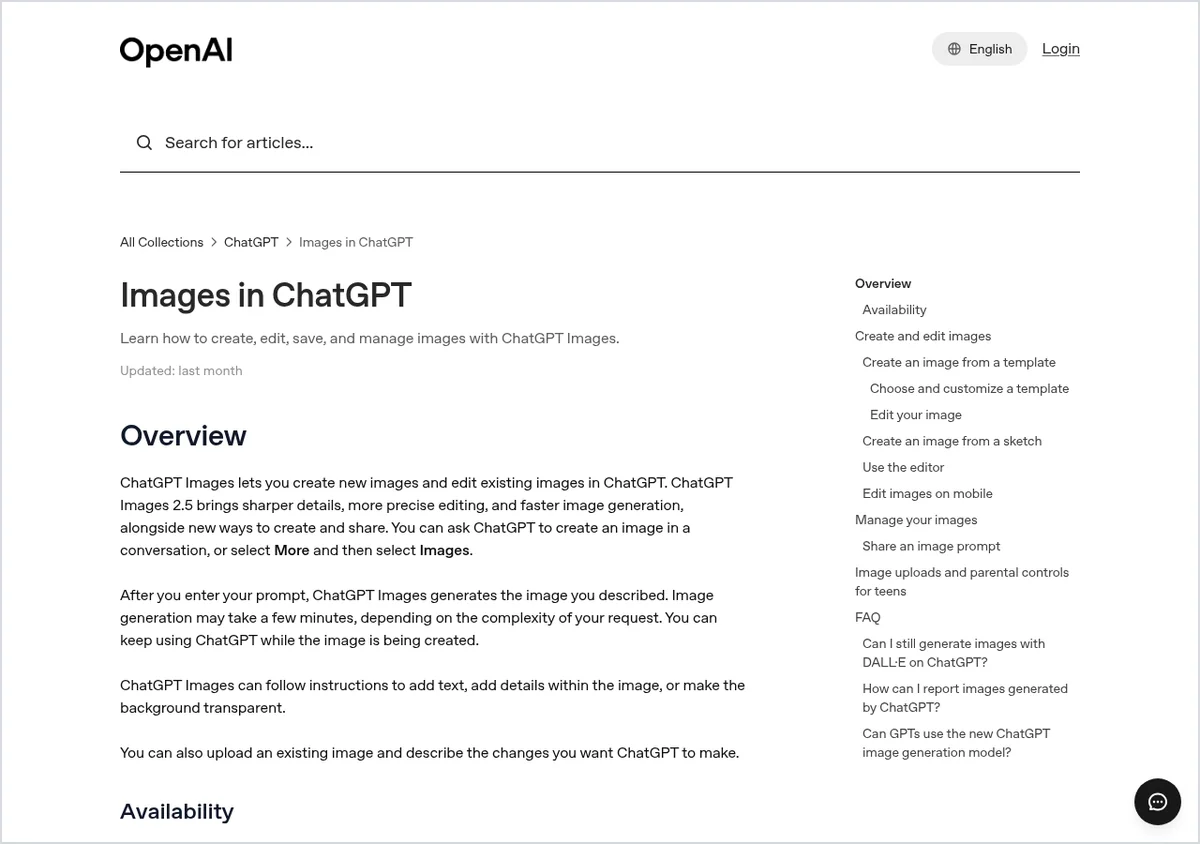
According to the Help Center article “Images in ChatGPT”, ChatGPT Images lets you create a new image or edit an existing one in a conversation, or via More and then Images. Images 2.5 is described there as bringing sharper details, more precise editing and faster generation, plus new ways to create and share.
After you send a prompt, generation can take a few minutes depending on complexity, and you can keep using ChatGPT while it runs. The tool can add text, add details inside the image, or make the background transparent. You can also upload an existing image and describe the change you want.
ChatGPT Images features by plan
| # | Task / feature | What you need | What the docs say you get | Tested by us? |
|---|---|---|---|---|
| 1 | Everyday image creation | Any plan, including Free | ChatGPT Images on all tiers, on web, iOS and Android | Docs only |
| 2 | Images with thinking | Plus, Pro or Business | Available on those plans; Enterprise and Edu listed as coming soon | Docs only |
| 3 | Targeted edits | A generated or uploaded image | Selection tool or describe the edit in chat; aspect ratio picker supported | Docs only |
| 4 | Templates and sketch | A template, or a sketch on mobile | Templates (for example poster or logo); @ Sketch on mobile; templates not yet in Work mode | Docs only |
| 5 | Save and share | A generated image | Auto-saved under Images; copy, download, share; share a prompt template on mobile | Docs only |
Create and edit: what the help page says
To create an image, describe it in chat or open Images and enter a prompt. To edit, select a ChatGPT Images result or upload a file, then describe the change. You can highlight an area with the selection tool and then describe the edit, or skip the tool and describe the change in the conversation. If the edit should apply to a specific area, include that area in the prompt.
You can generate in any aspect ratio with the picker or by stating the ratio in the prompt. In the editor you can select, change aspect ratio, undo or redo, and save. OpenAI notes that highlights are not always precise, and edits may extend beyond the selected area.
Templates, sketch and managing images
Templates give a starting point such as a poster or logo: open Images in the sidebar, choose Templates, pick a category and template, then customize. Follow-up questions may appear, and you can optionally upload a reference image. Be specific about purpose and any text to include. Templates are not yet available in Work mode.
On the mobile app you can draw a sketch: type @, choose Sketch, draw, confirm, then add written instructions. All creations are saved under Images. To remove an image, delete the conversation where it was created. On mobile you can also share a prompt template as a link.
Which plan you need for images
We will not restate every tier price here; that belongs in the ChatGPT plans review. For images only, the help pages say:
- Every plan, including Free: create and edit with ChatGPT Images. The Free FAQ lists separate usage limits for image creation, without a fixed published daily quota.
- Plus, Pro and Business: Images with thinking as well. The Plus help article lists image generation among expanded features, at $20 per month in the US.
- Pro: includes image creation as part of the plan; tier detail is in the plans review.
In the EU and UK, the local amount appears at checkout. We only quote US dollar figures we saw on OpenAI help pages on the check date.
Text inside images
The help page says ChatGPT Images can add text when instructed, but it does not publish a quality score for specific languages or lettering styles. We did not re-test text-in-image in the ChatGPT UI for this piece. For a practical checklist on accurate lettering in AI images, see our guide to creating images with accurate text; it was not rewritten against Images 2.5.
For keeping the same character across scenes, see our consistent AI characters guide.
Limits and what not to hand the tool
- Do not upload ID documents, payment cards, health details or customer data without permission.
- Do not treat a generated image as final proof of a price, marketing claim or legal wording without a human check.
- Edits may extend beyond the area you selected.
- Free-tier image limits change over time; OpenAI did not publish a fixed daily quota on the page we read.
- The official DALL·E GPT inside ChatGPT is retired; use ChatGPT Images instead.
For GDPR-minded users in the EU and UK, review Data controls and temporary chat settings before uploading sensitive photos. Our opt-out of AI training guide walks through the ChatGPT training toggle.
How we checked
On October 15, 2026 we re-read “Images in ChatGPT” (including the Images 2.5 wording), the ChatGPT Free Tier FAQ, and the Plus and Pro help articles. We captured a screenshot of the Images help page as evidence. We did not sign in to ChatGPT or create or edit an image. How we mark first-look versus hands-on reviews is explained in How We Test AI Tools.
FAQ about ChatGPT Images
Is ChatGPT Images available on the free plan?
Yes. According to OpenAI, ChatGPT Images is available on all tiers, including Free. The Free tier FAQ says image creation has separate usage limits, without publishing a fixed daily number on the page we read.
What is Images with thinking?
An image mode that, per the Help Center, is available on Plus, Pro and Business, and is listed as coming soon to Enterprise and Edu. It is for requests that need more reasoning before generation, beyond everyday images on any plan.
Can ChatGPT Images add text or a transparent background?
Yes. The help article states that ChatGPT Images can follow instructions to add text, add details within the image, or make the background transparent.
What about privacy when creating images?
Images are created inside the chat and saved under Images. As with other chats, check Data controls and turn off model training if that matters to you. Our guide on opting out of AI training covers the ChatGPT toggle.
Is DALL·E still available in ChatGPT?
No. The help article FAQ says the official DALL·E GPT has been retired from ChatGPT, and you should use ChatGPT Images to create or edit images.
Sources
- OpenAI Help Center: Images in ChatGPT (help.openai.com/en/articles/11084440), checked October 15, 2026
- OpenAI Help Center: ChatGPT Free Tier FAQ (help.openai.com/en/articles/9275245), checked October 15, 2026
- OpenAI Help Center: What is ChatGPT Plus? (help.openai.com/en/articles/6950777), checked October 15, 2026
- OpenAI Help Center: About ChatGPT Pro tiers (help.openai.com/en/articles/9793128), checked October 15, 2026
- OpenAI Help Center: Data controls in ChatGPT (help.openai.com/en/articles/7730893), checked October 15, 2026
Features and prices mentioned here were checked against the official documentation on October 15, 2026.